

When you set up the Airtable data sheet you’re creating a database that you’ll be able to view dynamically with different tags, scanners, categories or project filters which makes it super flexible and easy to use. It also means you can focus in on your project, whilst also ensuring that any scans are also collected within your longterm scanning library.
When you set up the Airtable data sheet you’re creating a database that you’ll be able to view dynamically with different tags, scanners, categories or project filters which makes it super flexible and easy to use. It also means you can focus in on your project, whilst also ensuring that any scans are also collected within your longterm scanning library.
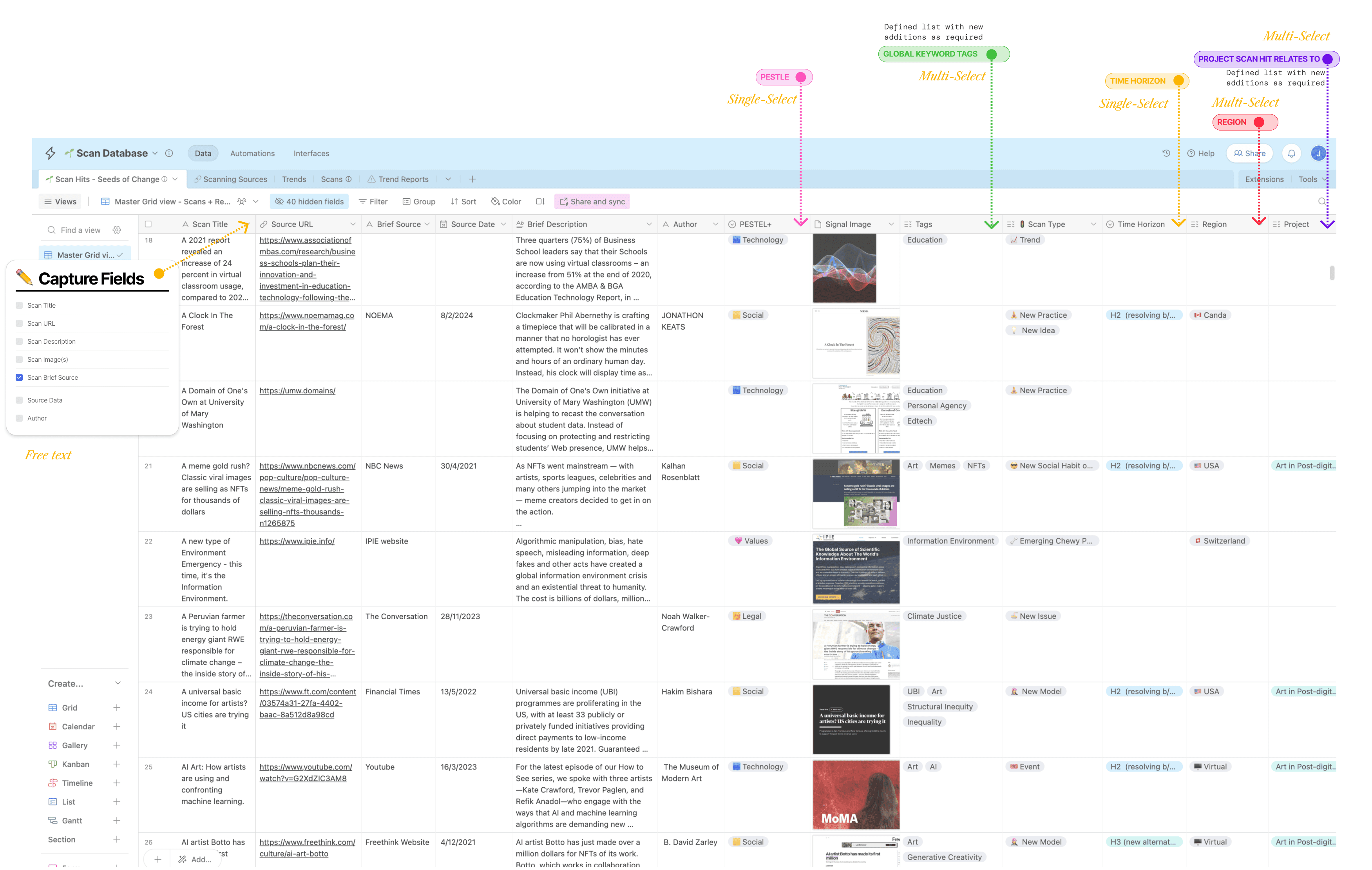
Airtable's real power is in it's dynamic data capture and advanced filtering functionality. Setting up a scan library database in Airtable enables you to collaborate, share and display the data with the added functionality of filtered views. It also enables you to feed that content into a third party platform like Pory.io or Super.so (and no doubt there will be more to come) so you can present your scan hits in a designed visual interface for clients or presentation.
Airtable's real power is in it's dynamic data capture and advanced filtering functionality. Setting up a scan library database in Airtable enables you to collaborate, share and display the data with the added functionality of filtered views. It also enables you to feed that content into a third party platform like Pory.io or Super.so (and no doubt there will be more to come) so you can present your scan hits in a designed visual interface for clients or presentation.
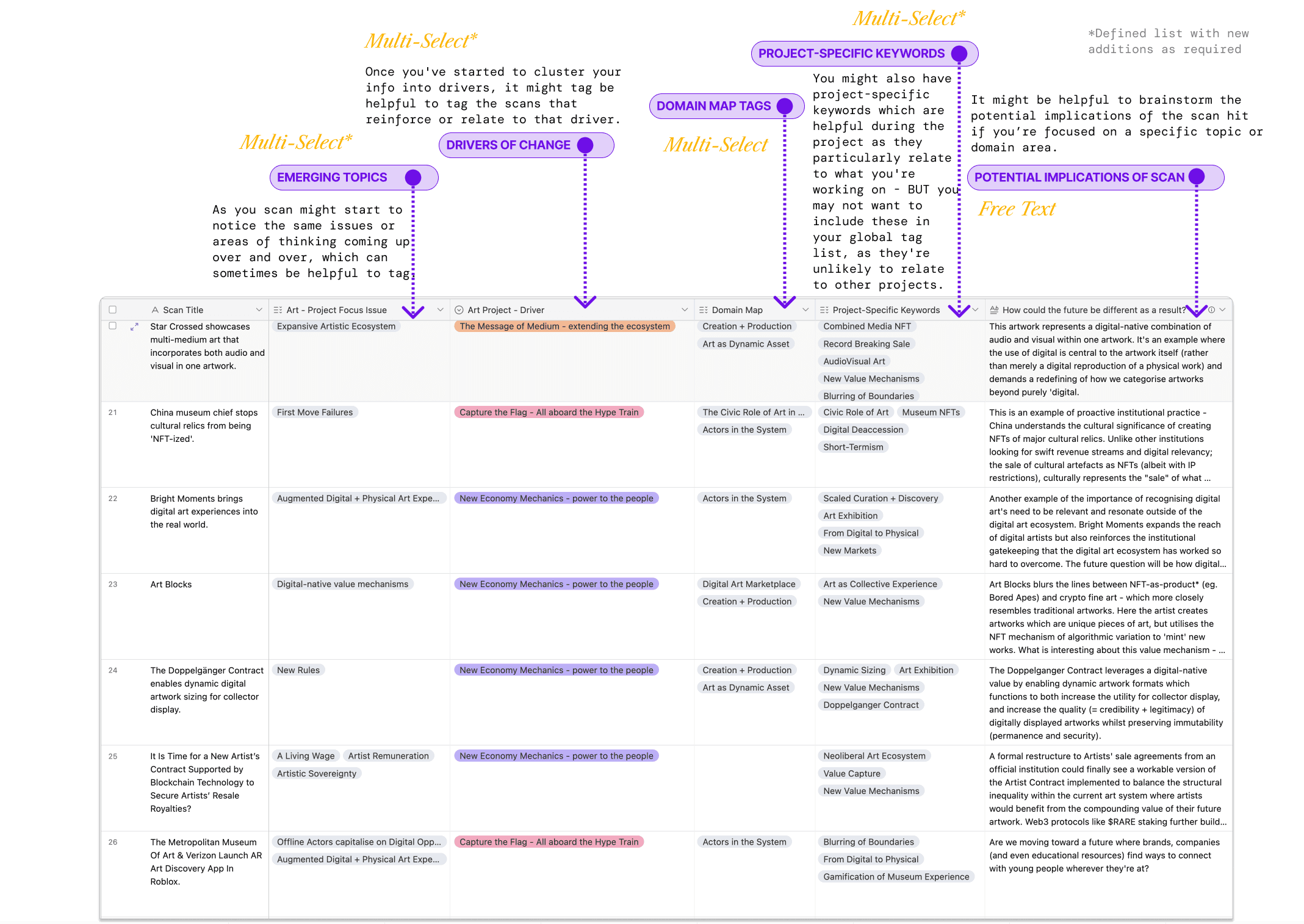
Creating a pre-determined list of multi-choice selections for global tags ensures that you tag scans consistently, Airtable also pre-populates the fields as you type which makes input easier and searching more effective over the long term.
Creating a pre-determined list of multi-choice selections for global tags ensures that you tag scans consistently, Airtable also pre-populates the fields as you type which makes input easier and searching more effective over the long term.
If you're working on a specific project then project-specific tags can be really helpful to shape your thinking as you move through the research stages. These are tags which might be super helpful during a project but they don't necessarily apply globally to your entire ongoing scan database. After the project you might want to 'hide' these from your database or delete them altogether and just keep the global tags.
If you're working on a specific project then project-specific tags can be really helpful to shape your thinking as you move through the research stages. These are tags which might be super helpful during a project but they don't necessarily apply globally to your entire ongoing scan database. After the project you might want to 'hide' these from your database or delete them altogether and just keep the global tags.
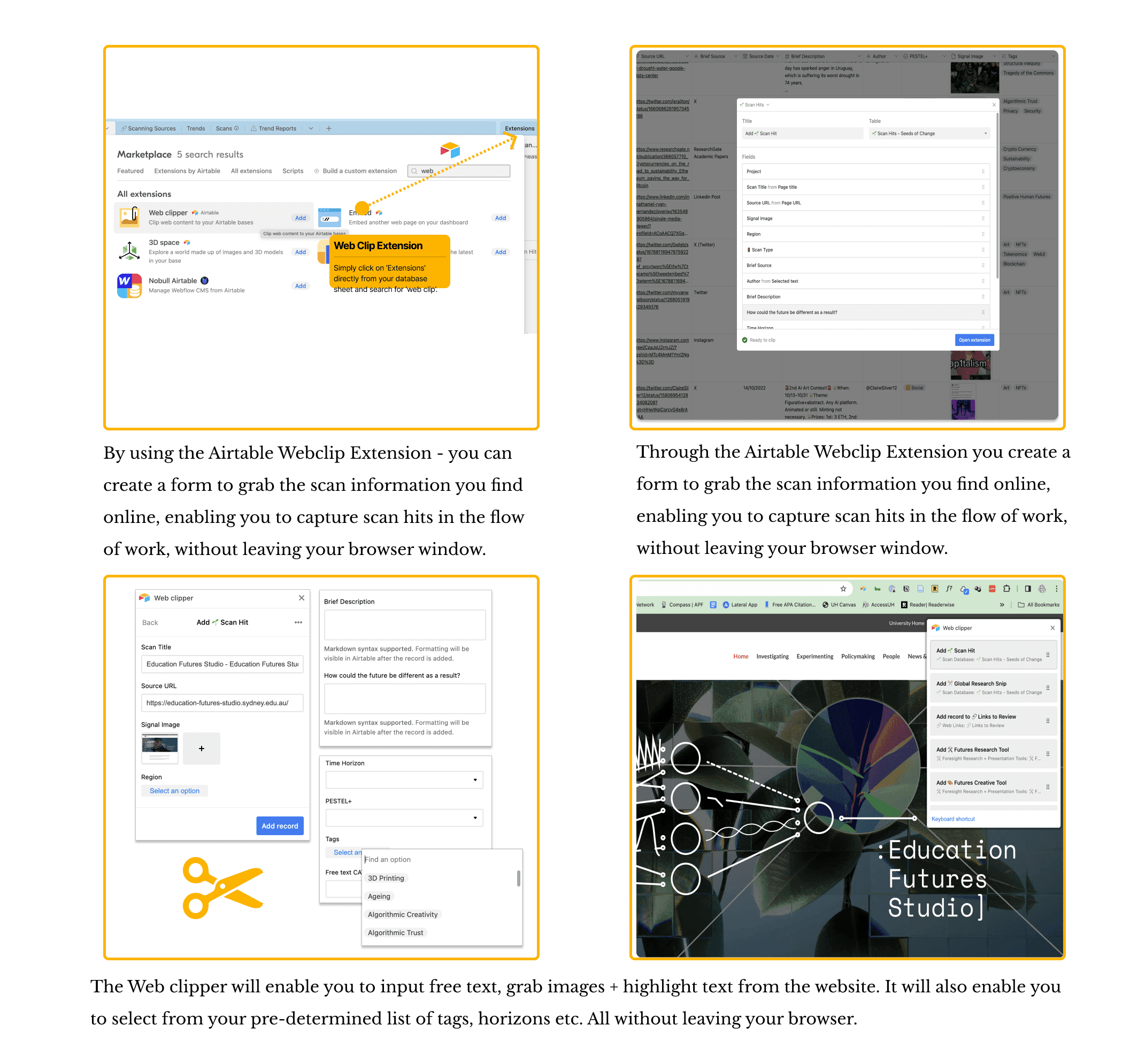
By using the Airtable Webclip Extension - you can create a form to grab the scan information you find online, enabling you to capture scan hits in the flow of work, without leaving your browser window.
Scan Hits in the Flow of Work
Using the Airtable Webclip Extension you can create a form to grab the scan information you find online, enabling you to capture scan hits in the flow of work, without leaving your browser window.
Clip any Content from the Web
The Web clipper will enable you to input free text, grab images + highlight text from the website. It will also enable you to select from your pre-determined list of tags, horizons etc.
Shortcut: Focused Web Clips
If you're conducting focused scanning for a specific project or issue, you can set up additional browser web clips and pre-select the project, tags and detail relating to your deeper search. For example, you might pre-select "Project X" and global tags like "technology, AI, algorithms" and these will automatically be attached to any scan hit input via that web clip. And don't worry, these can always be changed later in the database directly.
By using the Airtable Webclip Extension - you can create a form to grab the scan information you find online, enabling you to capture scan hits in the flow of work, without leaving your browser window.
Scan Hits in the Flow of Work
Using the Airtable Webclip Extension you can create a form to grab the scan information you find online, enabling you to capture scan hits in the flow of work, without leaving your browser window.
Clip any Content from the Web
The Web clipper will enable you to input free text, grab images + highlight text from the website. It will also enable you to select from your pre-determined list of tags, horizons etc.
Shortcut: Focused Web Clips
If you're conducting focused scanning for a specific project or issue, you can set up additional browser web clips and pre-select the project, tags and detail relating to your deeper search. For example, you might pre-select "Project X" and global tags like "technology, AI, algorithms" and these will automatically be attached to any scan hit input via that web clip. And don't worry, these can always be changed later in the database directly.
Starting from scratch on a new platform can sometimes feel a little overwhelming. You can use this Airtable base to get you started and then adjust from there.
Starting from scratch on a new platform can sometimes feel a little overwhelming. You can use this Airtable base to get you started and then adjust from there.
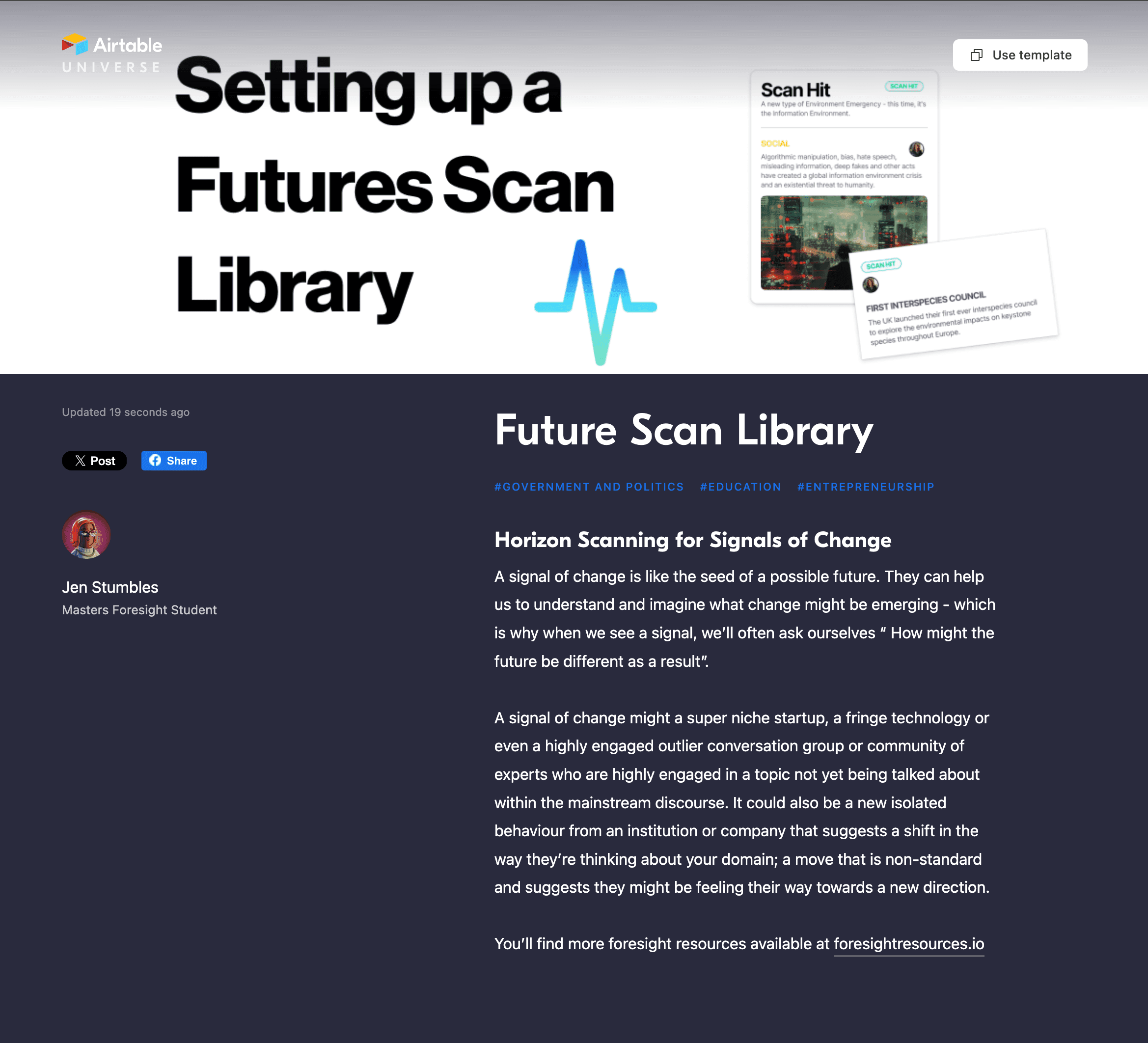
Link
Airtable Universe - Futures Scan Library Base
https://www.airtable.com/universe/expDIZ3baJpPdi4pq/horizon-scanning
Link
Airtable Universe - Futures Scan Library Base
https://www.airtable.com/universe/expDIZ3baJpPdi4pq/horizon-scanning
If you're looking for ideas on how to present your scanning library through a third party web interface, you'll find more info below.
If you're looking for ideas on how to present your scanning library through a third party web interface, you'll find more info below.
Link
Setting up a Foresight Scan Library with Airtable
Link
Setting up a Foresight Scan Library with Airtable
What did you think of this content?
It was interesting
It was not interesting
I have feedback
What did you think of this content?
Helpful
Not helpful
Feedback
Last updated on
Dec
4,
2024
Last updated on
Dec
4,
2024